

Comparing Audience Groups
Sometimes the question isn’t only what one audience thinks, but how two audiences differ — customers versus non-customers, one country versus another, younger versus older buyers. Instead of running separate studies and lining up the results yourself, you can compare two audience groups directly in one study.
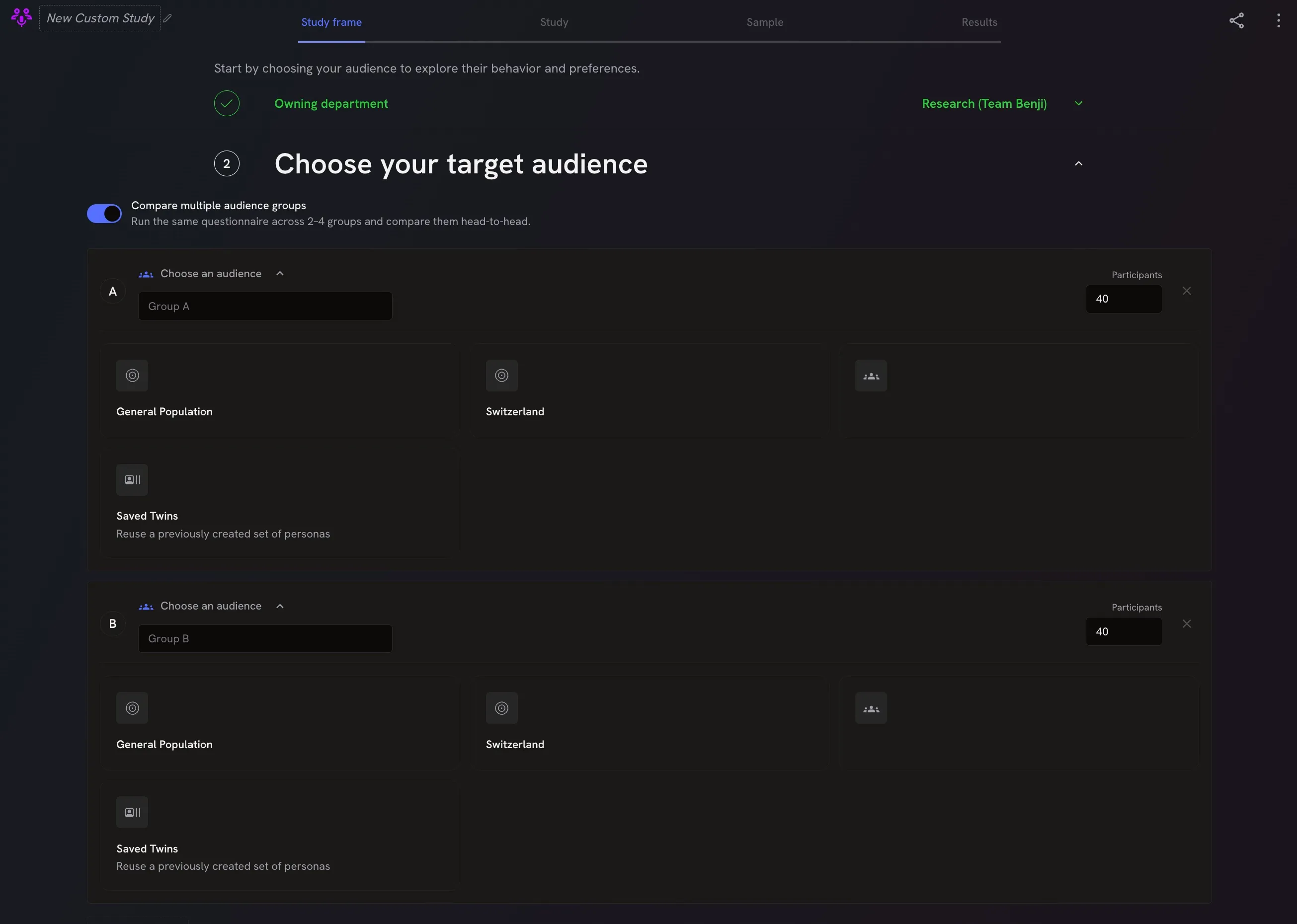
In the “Study Frame”, turn on Compare multiple audience groups when choosing your target audience. You then set up two groups. For each group:
- give it a name you’ll recognise later, such as “Existing customers”
- choose the audience and select its segments, just as you would for a single sample
- set the group size — the number of participants in that group
Both groups answer the same questionnaire, and the study runs as normal. The difference is in the report: it compares the two groups directly, so you can see at a glance where they agree and where they differ.