
Likert Scale
Measure agreement, satisfaction, or intensity on a defined scale (e.g. 1–5 or 1–7).
Example How satisfied are you? 1 = Very dissatisfied … 5 = Very satisfied
You build your questionnaire on the “Study” tab. Below are the key features and tools available to you.
Use screeners to limit your sample to your target audience. A screener comes at the very start of the study and filters out twins who don’t match. Mark each response option as Pass or Exclude. You can add up to 2 screener questions.
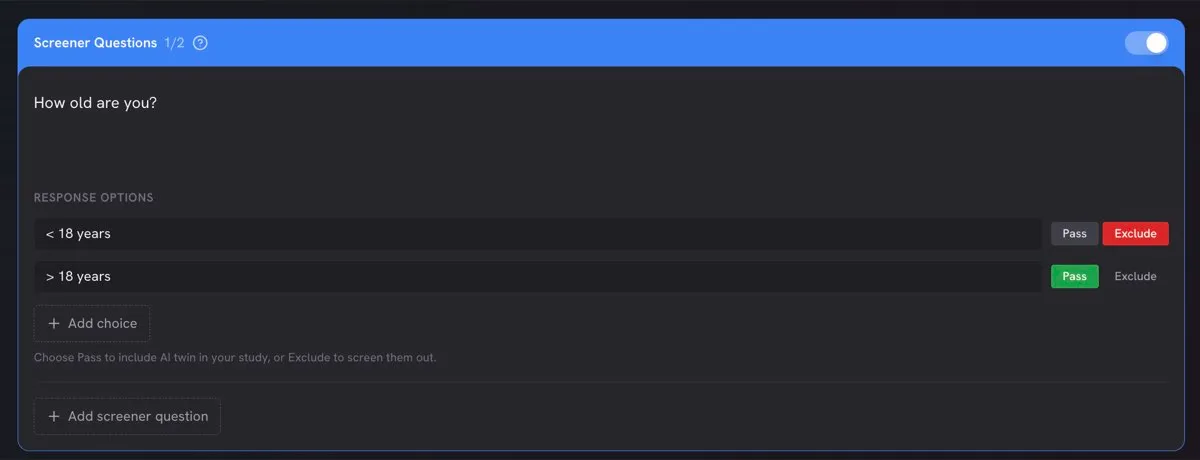
1. Avoid yes/no questions. A binary question leaves room for interpretation and cuts out people who only partly match. Ask about frequency or recency within a clear time frame instead, and exclude only the options you really need to.
Do you drink coffee? Yes / No
In the last 3 months, how often have you bought coffee beans or ground coffee?
Never (Exclude) · Once (Pass) · 2–3 times (Pass) · Monthly or more often (Pass)
2. Use one criterion per question. A question that combines conditions — “Do you own a car and plan to replace it this year?” — screens out anyone who meets only one of them. If you need both, use your two screeners for them and choose how to combine them (AND / OR).
3. Move situations into the study context. If a condition describes a situation rather than who the person is — doing the groceries, scrolling through social media on their phone — you usually don’t need a screener for it. Put it in the study context instead, for example: “You are doing your grocery shopping and browsing for household cleaning products.” That keeps both screeners free for the criteria that really define your audience.
4. To exclude buyers or users, ask about recency.
Expect low incidence for niche audiences. If only a few twins pass, it usually means the audience is small in the real population: Elaiia only creates twins whose characteristics coexist in the real world, never fabricated profiles — that is what keeps the simulation grounded in reality. If the incidence is low, increase your sample size, or run the study again with a new sample and look at the results in aggregate.
Instruction blocks allow you to provide twins with additional context, define a situation, or guide how they should approach the questions that follow. Instructions are shown to the twins but are not answered or displayed as questions in the results.
When you create a new twin sample, the instructions become part of the core context used to create the twins.
When you reuse saved twins, newly added instructions work more like directions that guide how the twins should answer the questions in the new study.
The position of an instruction block matters. Its context applies to the questions placed after it in the study.
For example, an instruction placed before a concept evaluation can establish the situation in which the twin encounters the concept:
The questions below this instruction will be answered within that context.
If an instruction block is placed at the very end of a study, there are no following questions for it to contextualise. When creating new twins, the instruction may still influence how the twins are formed, but it will not provide context for any answers.
By default, twins continue to consider previously provided context when answering later questions. When an instruction should apply only to a particular part of the study, clearly define its scope within the instruction itself.
This is especially important when a study contains multiple scenarios, topics, or evaluation tasks. Explicitly stating where an instruction starts and ends helps prevent the context from influencing questions where it is no longer relevant.

Elaiia supports a range of question types. Choose the type that best fits what you’re trying to measure.
Likert Scale
Measure agreement, satisfaction, or intensity on a defined scale (e.g. 1–5 or 1–7).
Metric
Collect a single numeric value — prices, quantities, frequencies.
NPS
Net Promoter Score — the standard 0–10 recommendation likelihood question.
Choice Frequency
How often does the respondent choose, use, or encounter something?
A/B Test
Present options side by side and ask twins to pick a winner.
Idea Generation
Open-ended creative prompt — twins brainstorm or generate new ideas.
Concept Evaluation
Show a concept and collect structured feedback — appeal, intent, likes and dislikes.
Rank Order
Ask twins to rank items by preference, importance, or priority.
Usage Exploration
Explore how, when, and why people use a product or service.
Matrix
Rate multiple items on the same scale in a single grid. See Matrix Questions for how to write one.
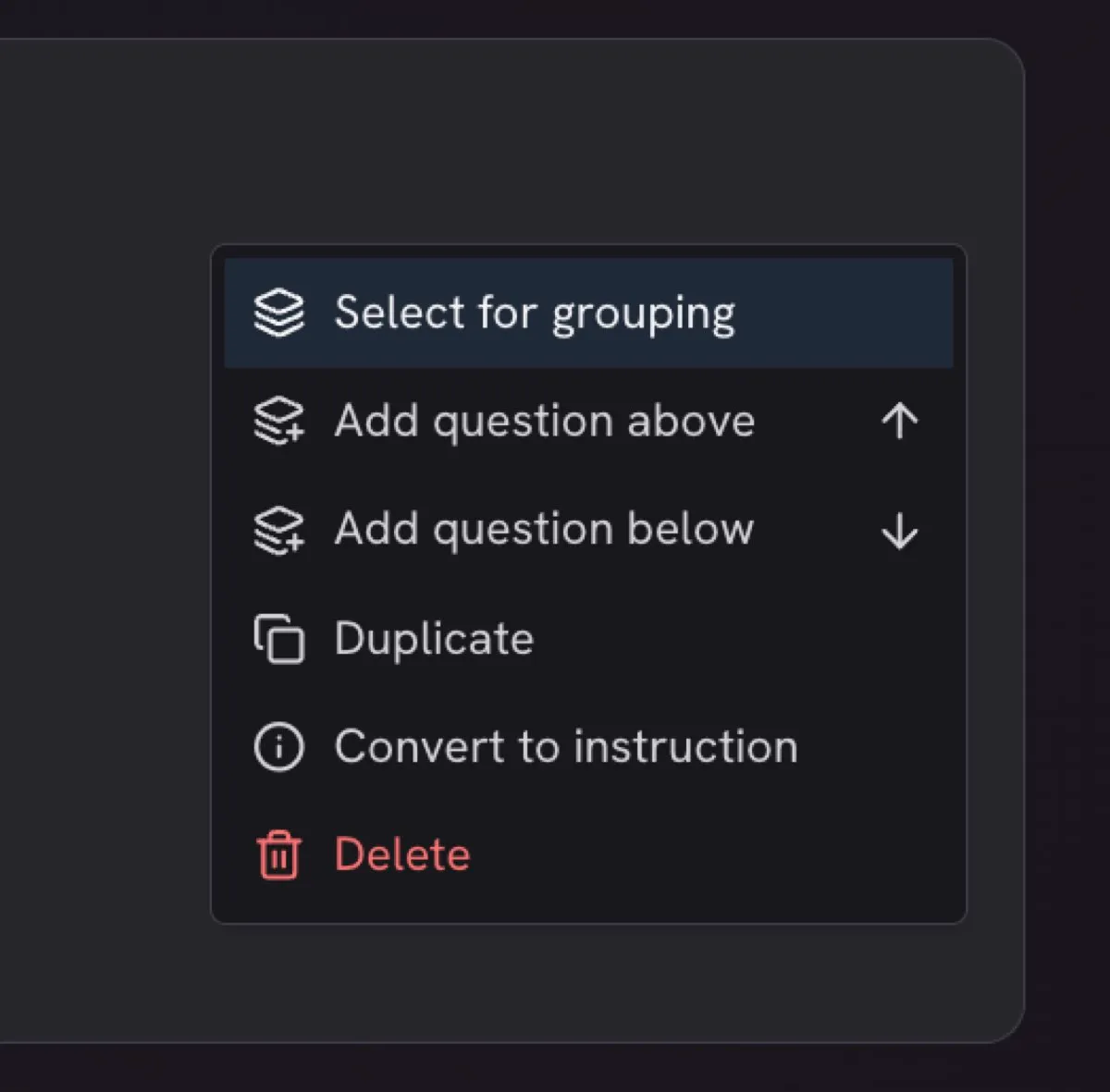
To randomise questions, create question groups. Right-click on a question or use the context menu.
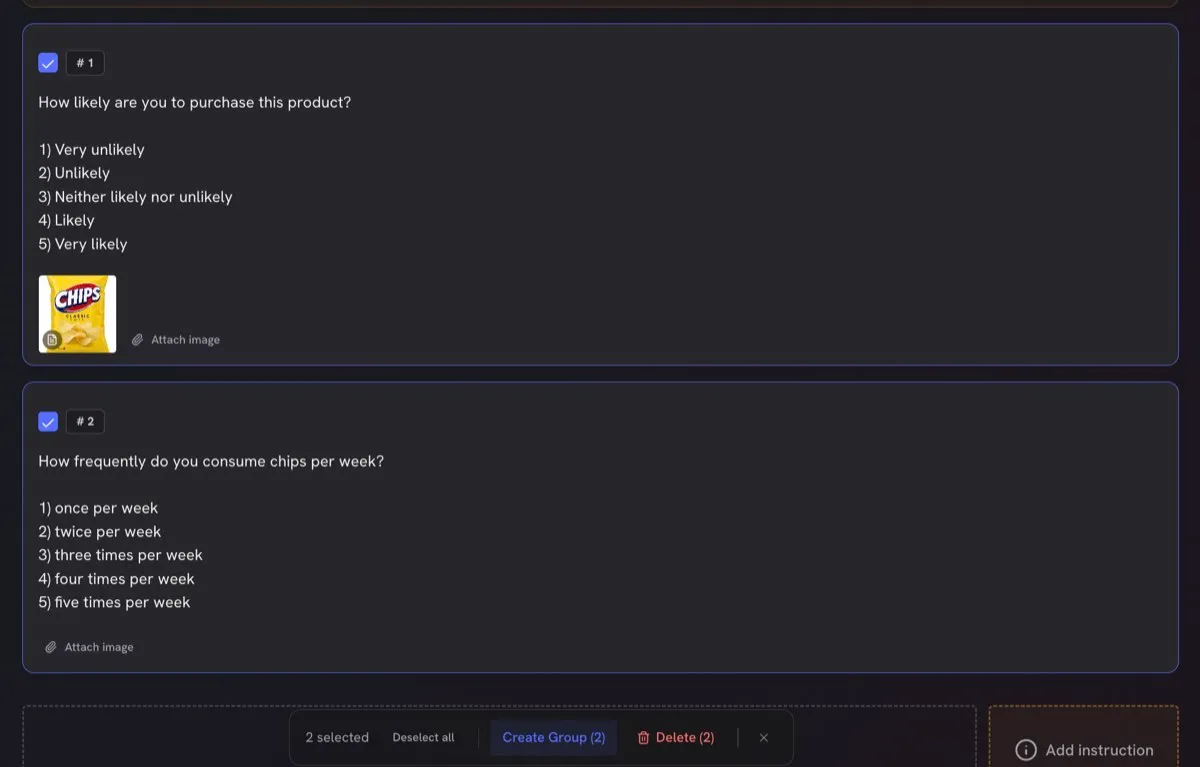
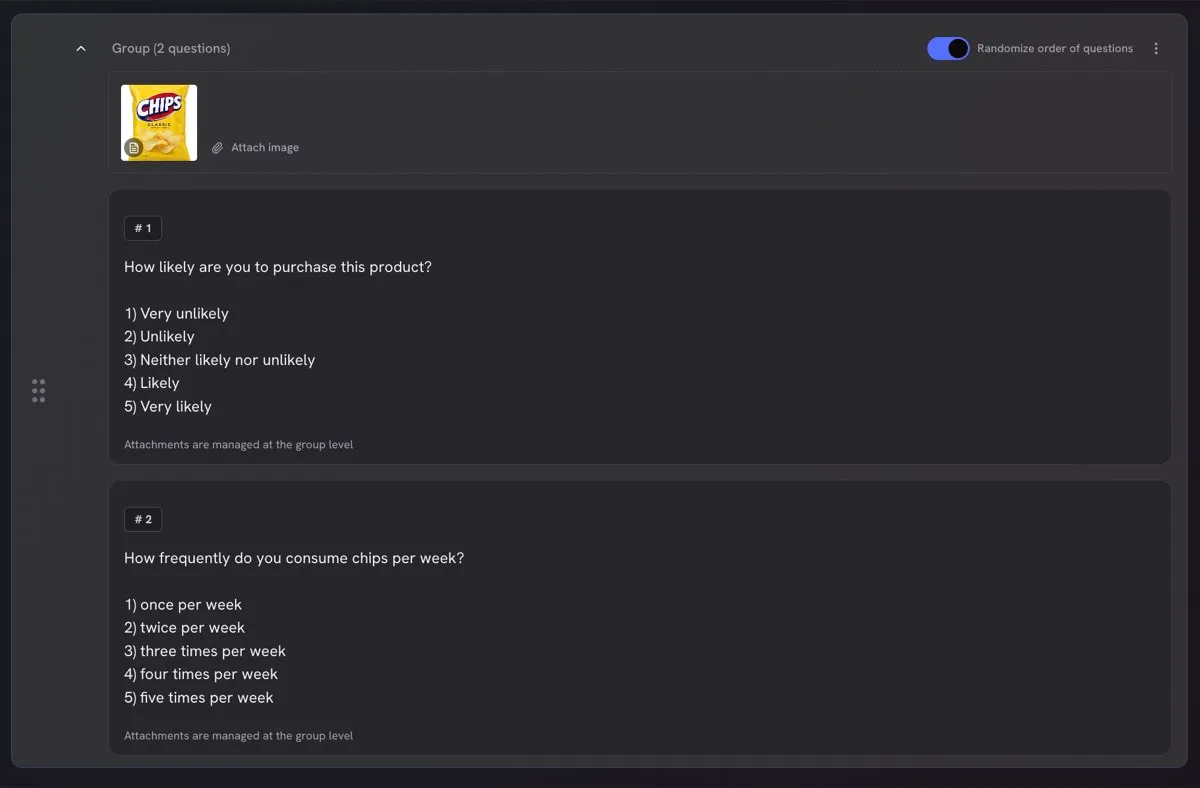
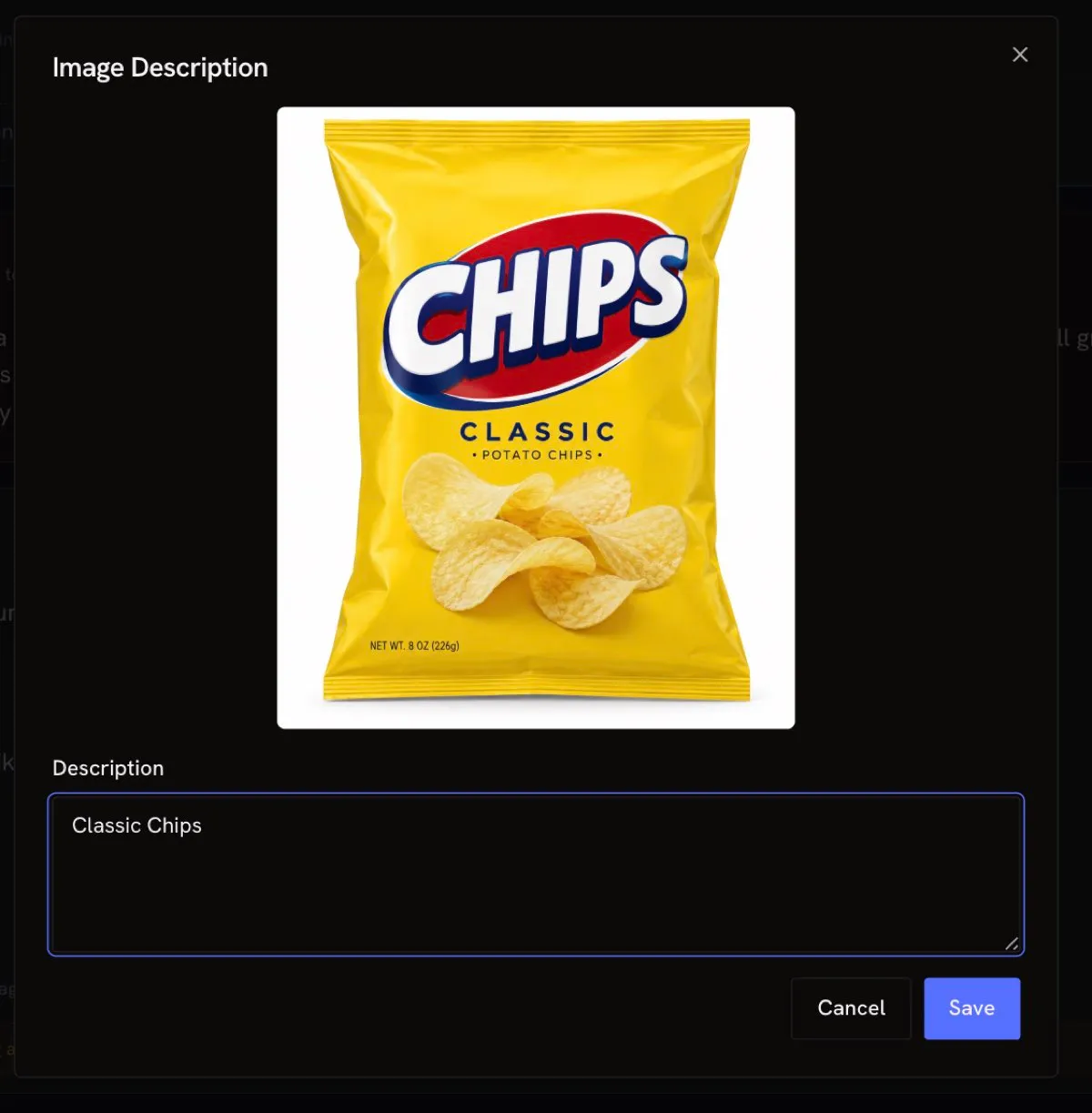
When adding images, always add an image description. This text is what the AI twins “see” — without it, the image may not be interpreted correctly.
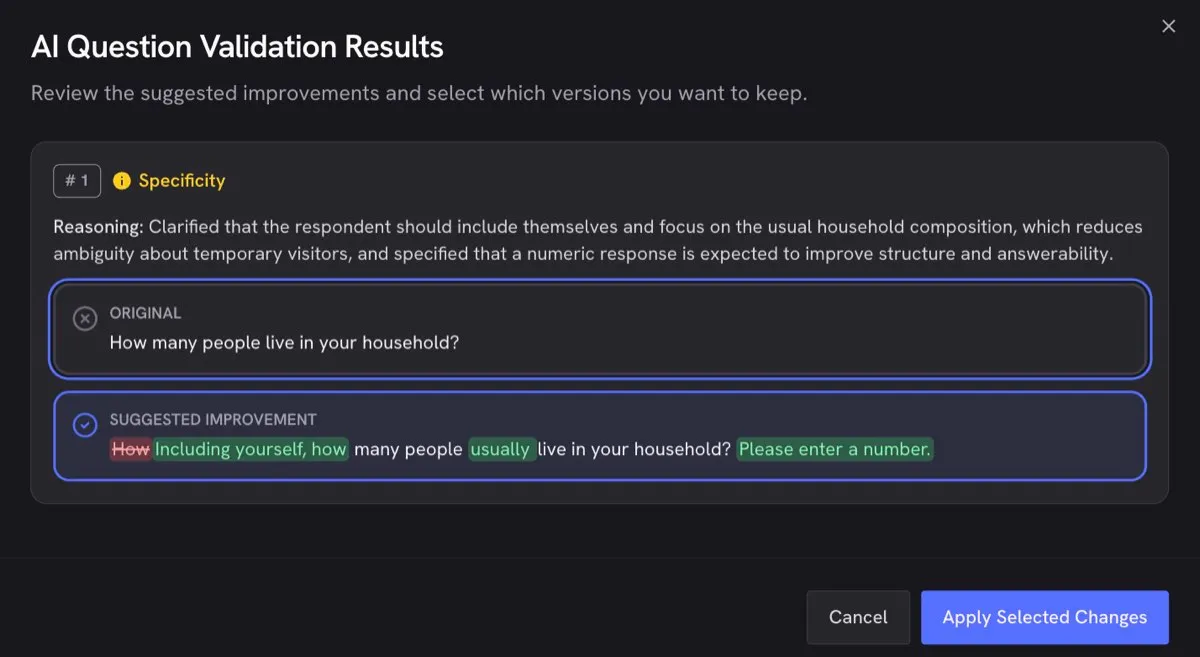
Select “Validate questions with AI” after creating all your questions. You can compare the original wording with the suggested improvement and choose which version to keep.